Choose an arcade racer for quick fun with a keyboard or gamepad, a simcade title for more vehicle control without a steep learning curve, or a simulator if realism and wheel support are your priorities.

The best PC racing game is the one that matches your preferred driving feel, available time, current PC, and total setup budget. Before buying, compare more than screenshots and car lists.
Check the game edition, single-player and online modes, controller or racing wheel compatibility, and the PC requirements for the settings you actually want to use.
A casual gamepad setup can be simple, while a wheel, pedals, shifter, VR headset, or multi-monitor display can turn racing into a more involved hardware purchase.
Online features can also depend on a stable connection and an active platform account or subscription. The practical goal is to choose a racing experience you will enjoy often without paying for accessories or content you will not use.
At a Glance
- Arcade racing suits players who want immediate action, forgiving handling, and low setup friction.
- Simcade racing offers a middle ground: more control and tuning depth while remaining approachable with a gamepad.
- Simulation racing is best for players willing to practice, check wheel compatibility, and invest time in realistic driving.
| Game Type | Driving Feel | Best Input | Typical Commitment | Upgrade Value |
|---|---|---|---|---|
| Arcade | Fast, accessible, forgiving | Keyboard or gamepad | Easy to play in short sessions | Usually lower priority for a wheel setup |
| Simcade | Balanced between fun and control | Gamepad or compatible wheel | Flexible for solo and online play | Useful if you want to grow into wheel driving |
| Simulation | Detailed handling and driving technique | Wheel and pedals are often more rewarding | Practice, longer races, and setup time may matter | Higher potential value from pedals, shifters, VR, or a dedicated rig |
The Quick Answer: Pick the Driving Experience Before Buying
The first decision is not the car brand, graphics preset, or downloadable content. It is the type of driving experience you want after the game launches. A game can look impressive yet still feel wrong if its pace, handling model, or race structure does not fit the way you play.
Choose arcade racing for instant fun and low setup friction
Arcade racing is a practical choice if you want to start races quickly, recover easily from mistakes, and play comfortably with a keyboard or gamepad. This style often works well for short sessions, casual online races, drifting, or open-world driving. It is also a sensible starting point when you do not want to buy a racing wheel and pedals before knowing whether the genre will hold your interest.
The main caution is simple: do not assume a wheel will automatically add value. Some arcade-focused games may support wheels, but the experience and device support can vary. Check the game’s official compatibility information before purchasing peripherals.
Choose simcade for a balance of accessibility and vehicle control
Simcade games sit between pure arcade action and demanding simulation. They can offer more meaningful braking, cornering, vehicle tuning, and traction management without requiring every player to learn advanced driving techniques immediately. For many PC players, this is the most flexible category because it can work with a gamepad today and a wheel-ready setup later.
Look closely at career progression, casual multiplayer, car customization, and controller settings. Those features may matter more to everyday enjoyment than whether a game is labeled realistic. If a game supports both gamepad and wheel inputs well, it can offer a smoother upgrade path.
Choose simulation racing for realism, practice, and wheel support
Simulation racing is aimed at players who enjoy learning braking points, managing vehicle balance, practicing consistent laps, and refining driving technique. It can be a strong fit for competitive online racing, league events, or longer sessions where realism is part of the appeal. A compatible wheel and pedal set may make this style more engaging, but it also increases the importance of drivers, desk space, mounting, and settings.
Do not buy a simulator purely because it is more realistic. If you mainly want relaxed races after work, a demanding driving model may create more friction than fun. Read the available game modes and input support before committing to a base game, season content, or a larger sim racing setup.
Compare Game Types, Setup Needs, and Overall Value
Overall value is not just the initial game purchase. It comes from how often you use the game, which modes keep you playing, and whether the hardware you own works without added cost.
Arcade, simcade, and simulation: what changes in practice
In practice, the categories change how mistakes feel and how much attention each race requires. Arcade games generally prioritize momentum and accessibility. Simcade titles often ask for more careful braking and steering while keeping the learning curve manageable. Simulators can place greater emphasis on precision, practice, and vehicle behavior.
Think about your preferred race length. If you want quick challenges, free driving, or easy sessions with friends, accessible handling may be more valuable than detailed physics. If you enjoy repetition, improvement, and fine input control, a simulation-focused title may offer better long-term value.
Single-player, open-world, competitive online, and league racing
Game modes should match your actual use case. A player who wants solo progress should check for a career mode, events, challenges, and offline content. Someone who wants social play should examine casual multiplayer options and online access requirements. Competitive racers should look for the structure that supports their preferred kind of racing, including whether the title fits organized league-style play.
Online racing may require a stable internet connection and, depending on the title, an active platform account or subscription. Do not treat online access as an automatic inclusion with every game edition. Confirm what the selected edition includes and whether additional content affects the events or cars you want to use.
Controller, wheel, pedals, shifter, and VR: which upgrades matter
A gamepad is usually the easiest way to begin. It takes little space, supports relaxed play, and avoids the mounting and driver questions that come with a wheel. A racing wheel and pedals can make steering and braking feel more natural, particularly in simulation racing, but they are not a universal upgrade for every player.
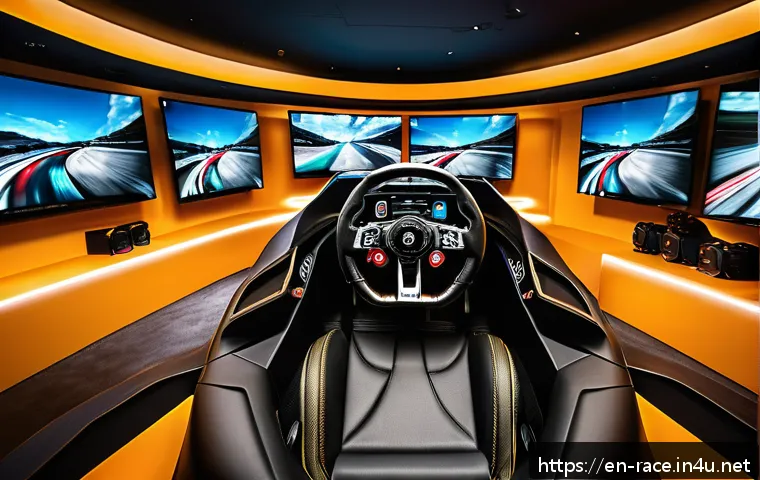
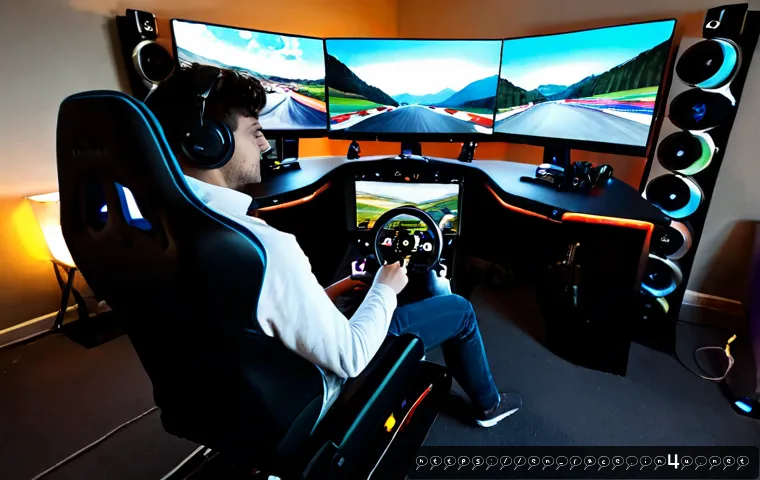
A shifter, VR headset, multi-monitor display, and dedicated rig are optional layers rather than requirements. They can increase immersion, but they may also raise hardware demands and compatibility checks. Before comparing racing wheel deals or pedal sets, identify the one upgrade that changes your experience most: better control, more comfort, a wider view, or more realistic immersion.
Check Your PC and Accessories Before You Commit
A good purchase decision includes the game and the system that will run it. Minimum specifications can indicate whether a title may launch, but they do not promise the graphics settings, resolution, or frame rate you expect.
How to read system requirements beyond the minimum specification
Compare your processor, graphics card, memory, operating system, and available storage with the game’s current requirements. Then consider how you intend to play. Higher settings, advanced physics, and visually busy race scenes can create more demand than a basic test session.
Recommended requirements are usually more useful than minimum requirements when you want a smoother experience or plan to keep the game longer. PC performance still depends on drivers, resolution, in-game settings, and your specific hardware combination, so official requirements are a starting point rather than a guarantee.
Display resolution, frame rate, and graphics settings trade-offs
A higher display resolution can improve visual detail, but it can also increase graphics workload. Multi-monitor setups and virtual reality may place further demands on the PC. If your computer is near the stated requirements, prioritize the settings that affect your driving comfort instead of assuming every visual option needs to be set high.
For racing games, a stable and comfortable experience may matter more than maximizing every effect. Review graphics options after installation, test a race rather than only a menu screen, and adjust gradually. This approach can help you decide whether a PC upgrade is necessary before buying more display hardware.
Compatibility checks for wheels, pedals, drivers, and storefront accounts

Before buying a wheel, pedal set, shifter, or VR headset, verify compatibility across the entire chain: game, operating system, storefront, device drivers, and wheel ecosystem. A peripheral can work on PC in general without being equally supported by every title.
Also check whether your wheel needs a secure desk mount or a separate stand. A powerful wheel is not automatically the best option if your desk shifts, your seating position is uncomfortable, or the pedals cannot stay in place. Official product pages and game support information are the right places to confirm current device support and included features.
Avoid Common Buying Mistakes
Most expensive mistakes happen when players buy for an imagined setup instead of the way they actually play now. A short compatibility check can prevent a disappointing game or unused peripheral.
Buying a realistic simulator when you only want casual races
A realistic simulator can be rewarding, but it may not suit someone looking for instant races, lighthearted drifting, or simple multiplayer sessions. Start with your preferred mood and time commitment. If you want easy access, choose a game category that respects that preference instead of treating realism as a required feature.
Spending on a wheel before confirming game support and desk space
A wheel and pedals can be a meaningful purchase, so confirm support before ordering. Check the game’s compatibility list, your operating system, driver availability, mounting options, and physical space. If you play several racing titles, make sure the wheel ecosystem fits the games you expect to use rather than one possible future purchase.
Ignoring downloadable content, online access, and long-term costs
The total cost can include the base game, game edition, downloadable content, controller or wheel, pedals, and optional PC upgrades. Compare what is included in the edition you are considering, especially if particular cars, tracks, or online activities matter to you. Prices, discounts, subscriptions, and included content can change by store, region, platform, and promotion.
Best Fit by Player Situation
Choosing by player situation is often easier than choosing by genre label alone. Start with the equipment you already own and the way you expect to play during a normal week.
Casual players using a keyboard or gamepad
Choose an arcade racer or accessible simcade game if you want low friction. Focus on gamepad support, straightforward events, and flexible solo or casual online modes. A wheel can wait until you know you want more involved driving.
Players who want career progression and solo content
Prioritize a game with the single-player structure you will actually use. Check for career progression, events, challenges, open-world driving, or other offline content. This can offer more value than online-focused features if you prefer to play on your own schedule.
Competitive racers building a dedicated sim racing setup
Choose a wheel-ready simulator if you enjoy practice, consistent driving, and structured competition. Confirm wheel and pedal compatibility first, then evaluate whether your PC can support your intended display, graphics settings, and possible VR or multi-monitor plans.
Friends looking for accessible online races
Choose a game with approachable handling and multiplayer options that fit your group. Confirm platform account requirements, subscription conditions where applicable, and whether everyone can access the same game edition or content. Simple setup and easy race joining may matter more than advanced simulation features.
Selection Criteria and Comparison Summary
Use these checks before purchasing: Do I want arcade, simcade, or simulation handling? Will I mostly play solo, casually online, or competitively? Am I using a gamepad now, or do I genuinely need a wheel and pedals? Can my PC handle my preferred resolution and settings? What does the selected game edition include? Finally, add up the likely total cost of the game, downloadable content, peripherals, and any PC upgrade you are considering. For current edition details, wheel compatibility, and system requirements, check the relevant official game and hardware product pages before buying.
Final Thoughts
The right PC racing game does not need to be the most technical or the most expensive. It needs to match your preferred driving style and fit the hardware you already have. Start with the core experience, then add a controller, wheel, pedals, or display upgrade only when it solves a real need. That approach keeps the setup enjoyable and the budget easier to control.
Useful Things to Know
1. A gamepad can be enough for enjoyable PC racing, especially in arcade and simcade titles.
2. Wheel support can vary by game, device, drivers, and operating system.
3. Higher resolution, VR, multi-monitor play, and advanced settings can increase PC hardware demands.
4. Online features may require stable internet and, depending on the title, an account or subscription.
5. A game edition may include different content than another edition, so compare before checkout.
Important Notes
Exact pricing, discounts, subscriptions, included content, and hardware compatibility can change by region, storefront, promotion, and product version. PC performance cannot be predicted from one component alone because it depends on the processor, graphics card, memory, resolution, drivers, and in-game settings. Always confirm current requirements and peripheral support directly before making a purchase.
Frequently Asked Questions
Q1. What type of PC racing game is best for beginners using a controller?
A1. Arcade racing is usually the easiest starting point because it emphasizes immediate fun and forgiving handling. Simcade can also work well for beginners who want more vehicle control while continuing to use a gamepad.
Q2. Is a racing wheel worth buying for PC racing games?
A2. A racing wheel can be worthwhile if you enjoy realistic driving, practice, and simulation-focused racing. Check game support, wheel drivers, desk space, pedal placement, and your preferred game modes before buying one.
Q3. How much should I budget for a PC racing game setup, including a wheel and pedals?
A3. The total can include the base game, downloadable content, a controller or wheel, pedals, and optional PC or display upgrades. Costs vary by game edition, hardware choice, region, and promotion, so build a list of the items you truly need and compare current product details before purchasing.